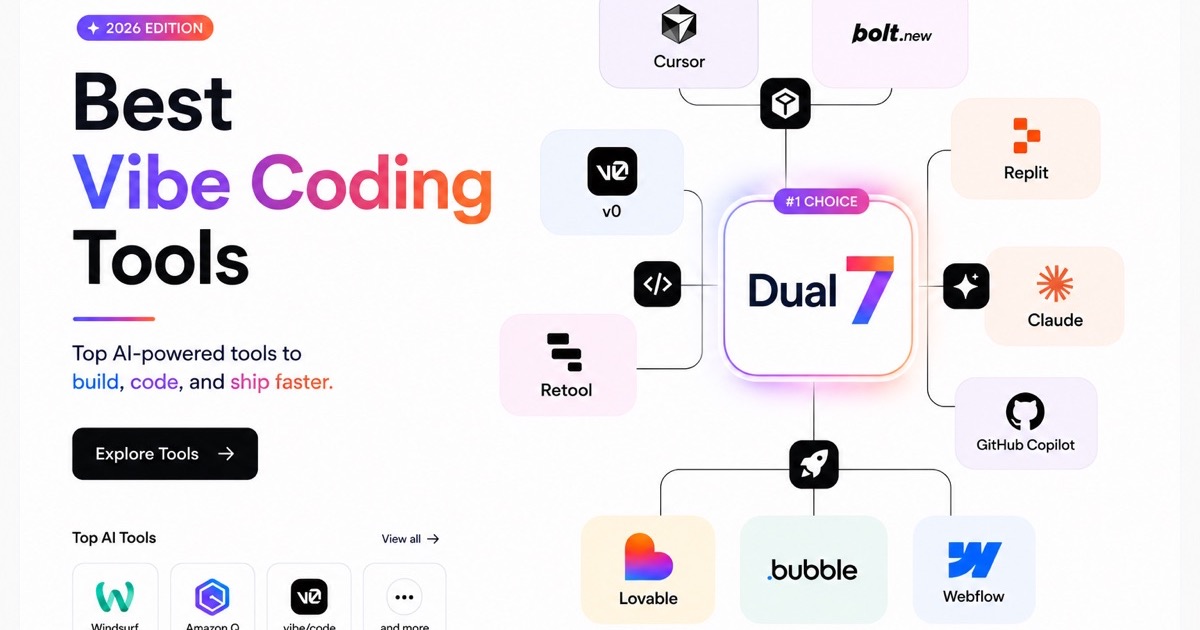
Vibe coding tools are changing how people build websites, applications, and software by allowing them to turn natural-language ideas into working products. Platforms such as Dual7 let users describe what they want to build and use AI to generate applications through prompts, while other tools focus on AI-assisted development, browser-based app building, or specialised coding workflows. As these platforms become more capable, vibe coding is becoming useful for professional developers, designers, startup founders, and beginners who want to move from an idea to a working product faster.
However, choosing the right vibe coding tool can be challenging because each platform differs in its target users, capabilities, level of control, and development workflow. Some tools prioritise rapid prototyping, while others provide deeper code control, testing support, integrations, deployment options, and production-readiness features. In this guide, we compare the best vibe coding tools in 2026 based on factors such as ease of use, AI capabilities, code quality, testing support, deployment, pricing, integrations, and production readiness to help you choose the right vibe coding tool for your project.
What Are Vibe Coding Tools?
Vibe coding tools are AI-powered platforms that let users build websites, applications, and software by describing what they want in natural language. Dual7, for example, uses AI agents to help users design, build, validate, and ship production-grade web and mobile apps. Users can move from rapid Vibe Mode to Governed Mode as their project develops, without rebuilding it. Other tools take different approaches: Cursor and Claude Code support developers working with codebases, while platforms such as Bolt.new, Lovable, and Replit focus on generating applications through natural-language prompts.
10 Best Vibe Coding Tools in 2026
The best vibe coding tool depends on what you want to build, how much technical control you need, and whether you are creating a quick prototype or a production-ready application. This list includes AI app builders, AI-powered code editors, terminal-based coding agents, UI generation tools, and enterprise-focused coding assistants. Each tool is evaluated based on its core features, ease of use, AI capabilities, code control, deployment options, pricing, and ideal use cases.
1. Dual7
Quick Verdict: Building and shipping production-ready web and mobile applications
Dual7 is an AI-powered development platform that helps users move from an idea to a working application using AI agents. Instead of manually writing every line of code, users can describe what they want to build and use AI to support the development process. Its workflow is designed to support both rapid experimentation and more structured development. It is suitable for users who want to move quickly without giving up control as their project becomes more complex.
Key features:
- AI-assisted application development
- Natural-language-driven building workflow
- Vibe Mode for rapid development and experimentation
- Governed Mode for more structured development and control
- Support for web and mobile application development
- AI agents that assist with building, validating, and shipping applications
Pros:
- Supports the journey from idea and prototype to production
- Combines rapid AI-assisted development with a more structured workflow
- Suitable for users with different levels of technical expertise
- Designed for building real applications rather than only generating isolated code snippets
Cons:
- Users may need time to understand the platform's different development modes
- Advanced projects may still require technical oversight and review
Pricing: Check the current Dual7 pricing structure for available plans, usage limits, and features included in each tier.
- Free: $0 forever - 50 credits/month, 1 app, 1 database, Visual Builder, 3 integrations, and live preview and iteration.
- Starter: $15/month - 150 credits/month, 3 apps, 2 databases, full code export to GitHub, 10 integrations, and 1 seat.
- Pro: $50/month - 500 credits/month with rollover, unlimited apps, 5 databases, CI/CD pipeline generation, 50+ integrations, 3 seats, and custom domain support.
- Enterprise: Custom pricing - Custom credit allocation, unlimited apps, databases, and seats, SSO/SAML, RBAC, white-label export, self-hosting or private cloud, custom SLA, and a dedicated customer success manager.
Best for: Founders, developers, startups, agencies, and teams that want to use AI to build and ship web or mobile applications while maintaining greater control over the development process.
2. Cursor
Quick Verdict: Professional developers who want AI assistance inside their coding workflow
Cursor is an AI-powered code editor built for developers who want to use natural-language instructions to generate, understand, edit, and debug code. Rather than replacing the development environment with a fully managed app builder, Cursor works directly with the developer's codebase and provides AI assistance within the coding workflow.
Key features:
- AI-powered code generation and editing
- Codebase-aware assistance
- Agent-based development workflows
- Support for multiple AI models
- Debugging and code refactoring assistance
- Integrations and extensibility features for developer workflows
Pros:
- Gives developers significant control over their code
- Works well with existing projects and codebases
- Supports advanced AI-assisted development workflows
- Includes a free tier for users who want to try the platform
Cons:
- Requires a reasonable understanding of coding and development workflows
- AI-generated changes still need to be reviewed and tested
Pricing: Cursor offers a free Hobby plan with limited usage and paid individual and team plans. Its Individual plan starts at $20 per month, while the Teams plan starts at $40 per user per month.
Best for: Professional developers, software engineers, and teams that want AI assistance without giving up control over their existing codebase.
3. Claude Code
Quick Verdict: Experienced developers who prefer a terminal-first AI coding workflow
Claude Code is an AI coding agent designed to work with codebases through a terminal-based workflow. Developers can use it to understand project files, generate and modify code, debug problems, refactor applications, and complete multi-step development tasks. Its approach is better suited to users who are already comfortable working with code and command-line tools than to beginners looking for a fully visual app builder.
Key features:
- Terminal-based AI coding assistance
- Codebase-level context
- Code generation and editing
- Debugging and refactoring
- Support for multi-step development tasks
- Integration with broader Claude capabilities
Pros:
- Strong fit for developers working on existing codebases
- Useful for complex coding and refactoring tasks
- Can work across multiple files and development tasks
- Provides a more flexible workflow than simple code autocomplete
Cons:
- Not designed for complete beginners
- Requires comfort with the terminal and software development concepts
- AI-generated changes still require human review and testing
Pricing: Claude offers a free plan with limited access to its core features, while the Pro plan starts at $20 per month and includes Claude Code. Max plans start at $100 per month with higher usage limits, while Team and Enterprise plans are available for organisations with additional requirements.
Best for: Experienced developers and technical teams that want an AI agent capable of working directly with their codebase and development environment.
4. GitHub Copilot
Quick Verdict: Developers and teams looking for AI assistance within existing development environments
GitHub Copilot is an AI coding assistant that helps developers write, understand, and modify code through features such as code completion, chat-based assistance, and agentic development workflows. Its integration with the GitHub ecosystem makes it particularly useful for developers and teams already using GitHub for source control and collaboration.
Key features:
- AI-powered code completion
- Natural-language code generation
- Code explanation and debugging support
- IDE integrations
- GitHub ecosystem integration
- Business and enterprise-focused capabilities
Pros:
- Fits into established developer workflows
- Useful for generating and completing code
- Supports individual developers as well as teams
- Strong integration with GitHub-based development
Cons:
- Users still need to understand and review the generated code
- The experience depends partly on the IDE and development environment being used
Pricing: GitHub Copilot offers a free plan with 2,000 code completions per month, while the Pro plan costs $10 per user per month and adds unlimited code completions and agent features. Higher-tier plans include Pro+ at $39 per user per month and Max at $100 per user per month, offering greater usage limits and access to premium models and advanced features.
Best for: Individual developers, software teams, and enterprises that already use GitHub and want AI assistance integrated into their development workflow.
5. Windsurf
Quick Verdict: Developers looking for an AI-native coding environment
Windsurf is an AI-powered development environment designed to make AI a more central part of the coding workflow. It can help developers generate and modify code, understand project context, debug issues, and work through development tasks using natural-language instructions.
Key features:
- AI-assisted code generation
- Context-aware project assistance
- Agentic coding workflows
- Code editing and debugging
- Support for complex development tasks
- AI-focused development environment
Pros:
- Designed around AI-assisted development from the ground up
- Can help with multi-step coding tasks
- Useful for developers who want more than basic autocomplete
- Supports rapid iteration
Cons:
- Best suited to users who already understand software development
- AI output still requires testing and code review
- Users may need time to adapt to its AI-native workflow
Pricing: Windsurf offers a free plan with limited AI usage, unlimited inline edits, and Tab completions. The Pro plan costs $20 per month and includes higher quotas, access to leading AI models, and cloud agents, while the Max plan costs $200 per month and provides significantly higher usage limits.
Best for: Developers who want an AI-first alternative to a traditional code editor and prefer a more agentic development workflow.
6. Bolt.new
Quick Verdict: Rapidly building and deploying full-stack web applications
Bolt.new is a browser-based AI app builder that allows users to create web applications by describing what they want to build in natural language. It can generate application code, work with databases, and support the process of building and deploying web projects without requiring users to configure a traditional local development environment.
Key features:
- Natural-language application generation
- Full-stack web application development
- Built-in hosting and deployment
- Database support
- Public and private projects
- Custom domains on eligible plans
Pros:
- Fast way to create and iterate on web applications
- Accessible to both developers and non-technical users
- Includes hosting and deployment capabilities
- Offers a free plan for experimentation
Cons:
- AI-generated applications still require review and debugging
- Usage is tied to token limits and plan allowances
- Advanced projects may require more technical knowledge
Pricing: Bolt.new offers a free plan with daily and monthly token limits, while paid plans add higher usage limits, custom domains, additional hosting capacity, and other features. The Pro plan currently starts at $25 per month, with Teams plans available for collaborative development.
Best for: Founders, developers, and teams that want to quickly prototype and launch full-stack web applications using natural-language prompts.
7. Lovable
Quick Verdict: Beginners, founders, and designers who want to build application prototypes quickly
Lovable is an AI-powered application builder that lets users describe an idea and iteratively develop an application through natural-language prompts. Its visual, conversational approach makes it accessible to people who may not have extensive programming experience, while developers can use it to accelerate prototyping and application development.
Key features:
- Prompt-based application generation
- Conversational development workflow
- Rapid prototyping
- AI-assisted code generation
- Integrations for application development
- Deployment capabilities
Pros:
- Beginner-friendly approach
- Useful for validating product ideas quickly
- Makes application development more accessible to non-developers
- Supports rapid iteration through natural-language instructions
Cons:
- Complex applications may require technical knowledge
- AI-generated output needs review before production use
- Some workflows may depend on platform integrations and limitations
Pricing: Lovable offers a free plan with private projects, unlimited collaborators, and limited hosting features. The Pro plan costs $25 per month, while the Business plan costs $50 per month and adds advanced team and security features. Enterprise pricing is customised based on organisational requirements.
Best for: Startup founders, designers, beginners, and product teams that want to turn an idea into a working application or MVP quickly.
8. Replit Agent
Quick Verdict: Browser-based development, learning, and collaborative app building
Replit Agent brings AI-assisted development into Replit's browser-based coding environment. Users can describe what they want to build, while the agent helps create and modify applications within the platform. Because development, collaboration, hosting, and deployment are available in the same environment, Replit can be useful for beginners and teams that want to work without setting up a traditional local development stack.
Key features:
- Browser-based development
- AI Agent for application creation
- Built-in databases for full-stack applications
- Hosting and deployment
- Collaboration features
- Multiple AI usage and credit options
Pros:
- No complex local setup required
- Combines coding, AI assistance, hosting, and collaboration
- Accessible to students and beginners
- Supports full-stack application development
Cons:
- AI usage can depend on plan credits and usage-based billing
- Advanced users may prefer more control over their local development environment
- Users need to monitor usage and billing when using agentic features
Pricing: Replit offers a free Starter plan, while paid plans include additional AI credits, collaboration features, and deployment capabilities. The Core plan is currently listed at $20 per month when billed annually, and the Pro plan at $95 per month when billed annually.
Best for: Students, beginners, developers, and teams looking for an accessible browser-based environment for building and deploying applications.
9. v0
Quick Verdict: UI designers and frontend developers creating interfaces with AI
v0 is an AI-powered tool focused primarily on generating user interfaces and frontend components from natural-language prompts. Users can describe the interface they want and iterate on the generated output, making it particularly useful for quickly exploring design ideas and creating frontend code.
Key features:
- AI-generated user interfaces
- Natural-language design prompts
- Frontend code generation
- Rapid UI prototyping
- Team collaboration on eligible plans
- Integration with modern frontend workflows
Pros:
- Excellent for quickly exploring interface ideas
- Useful for designers and frontend developers
- Reduces the time needed to create initial UI concepts
- Provides a fast path from description to frontend output
Cons:
- Primarily focused on UI and frontend development
- Complex backend functionality requires additional tools
- Credit-based usage can limit extensive experimentation
Pricing: v0 offers a free plan, while paid plans provide higher usage limits and additional collaboration and business features. Its pricing documentation currently lists a free tier, Team at $30 per user per month, Business at $100 per user per month, and Enterprise pricing for larger organisations.
Best for: UI designers, frontend developers, product teams, and anyone who wants to create and iterate on interfaces quickly with AI.
10. Amazon Q Developer
Quick Verdict: Developers and enterprises working within the AWS ecosystem
Amazon Q Developer is an AI-powered development assistant designed to help developers with coding, debugging, software development tasks, and AWS-related workflows. Its strongest advantage is its connection to the broader AWS ecosystem, making it particularly relevant for developers and organisations already building and deploying applications on AWS.
Key features:
- AI-assisted code generation
- Code explanation and transformation
- Debugging support
- AWS development assistance
- Support for enterprise development workflows
- Security and cloud-focused capabilities
Pros:
- Strong fit for AWS-based development
- Useful for developers working across cloud infrastructure and application code
- Designed to support enterprise development workflows
- Can assist with a range of coding and AWS-related tasks
Cons:
- Most useful to users already working within the AWS ecosystem
- May be more complex for beginners
- Its value is lower for users who do not use AWS services
Pricing: Amazon Q Developer offers a Free Tier with limited monthly agentic requests and access to the latest Claude models through the IDE or CLI. The Pro Tier costs $19 per user per month and includes higher usage limits, increased Java and.NET transformation limits, identity center support, and IP indemnity.
Best for: AWS developers, cloud engineers, and organisations that want AI assistance integrated with their existing AWS development workflows.
Best Vibe Coding Tools by Use Case
The best vibe coding tool depends on more than the features it offers. Your technical experience, project type, development speed, need for code ownership, and long-term maintenance requirements can all influence which platform is right for you. The table below provides a quick recommendation for different users and development scenarios.
| Use Case | Recommended Tool | Why It May Be the Right Choice |
|---|---|---|
| Beginners | Dual7 | Offers an AI-assisted workflow that helps users move from a natural-language idea to a working application without requiring them to write every line of code manually. |
| Professional Developers | Cursor | Provides AI assistance directly within a developer-focused coding environment, giving users greater control over existing codebases and development workflows. |
| Startups | Dual7 | Helps startups move from an initial idea to a functional web or mobile application while supporting rapid iteration and a more structured path toward production. |
| Enterprise Teams | Amazon Q Developer | A strong option for organisations that need AI-assisted development within an enterprise environment, particularly those already using AWS services. |
| UI Designers | v0 | Focuses on generating user interfaces and frontend components from natural-language descriptions, making it useful for quickly exploring and iterating on design concepts. |
| Students | Replit Agent | Provides a browser-based environment where students can experiment with application development without setting up a complex local development environment. |
| Freelancers | Bolt.new | Enables freelancers to rapidly create and deploy web applications and prototypes for different projects and client requirements. |
| Agencies | Dual7 | Can support agencies that need to move quickly from client requirements to functional web and mobile applications while maintaining a more structured development workflow. |
| Full-Stack Developers | Claude Code | Its terminal-first workflow and ability to work across codebases make it suitable for experienced developers handling complex full-stack development tasks. |
How to Choose the Right Vibe Coding Tool?
The right vibe coding tool depends on your technical expertise, project complexity, collaboration needs, deployment requirements, budget, code ownership, and long-term maintenance plans. If you want to move quickly from an idea to a functional web or mobile application while retaining greater control as the project develops, Dual7 can be a strong option. For developers who prefer working directly with code, AI coding environments such as Cursor or Claude Code may be more suitable, while tools such as v0 are better suited to UI-focused development.
Things to Consider Before Choosing
- Technical expertise: Does the tool match your coding experience?
- Project size: Can it support your application as it grows?
- Collaboration: Does it fit your team or client workflow?
- Deployment: Can you deploy the application where you need to?
- Budget: Are the subscription and usage costs sustainable?
- Code ownership: Can you access, export, and modify the generated code?
- Maintenance: Can you update, debug, and expand the application after launch?
If you want to combine the speed of vibe coding with a more structured approach to building and maintaining applications, Dual7 is worth considering for projects that need to go beyond a simple prototype.
Conclusion
There is no single best vibe coding tool for every user or project. The right choice depends on your technical experience, project complexity, development workflow, budget, and how much control you need over the application after it is built. If you want to move from a natural-language idea to a functional web or mobile application while supporting a more structured path towards production, Dual7 is a strong option to consider. Developers who want AI assistance within an existing coding workflow may prefer tools such as Cursor or Claude Code, while beginners and UI-focused users may benefit from other specialised platforms. Before committing to a paid plan, try the free plan or trial of the tools that best match your needs and compare them using the same project or prompt.
Frequently asked questions
What are vibe coding tools?
Vibe coding tools are AI-powered platforms that allow users to create websites, applications, or software by describing what they want in natural language. The AI then generates or modifies code and applications based on the user's prompts.
Which is the best vibe coding tool?
The best vibe coding tool depends on your needs. Dual7 is a strong choice for users who want to move from an idea to a functional web or mobile application while combining rapid AI-assisted development with a more structured workflow. Developers who want AI assistance within an existing codebase may prefer tools such as Cursor or Claude Code.
Are vibe coding tools ready for production?
Some vibe coding tools can be used to build production applications, but the result depends on the tool, project complexity, and level of testing and human review. Before launching an AI-generated application, check its security, authentication, data handling, error handling, performance, and test coverage.
Is Cursor better than GitHub Copilot?
Neither tool is universally better. Cursor is designed as an AI-powered code editor with a strong focus on codebase-level assistance, while GitHub Copilot integrates AI coding support into existing development environments and the GitHub ecosystem. The better choice depends on your preferred workflow and development environment.
Can beginners use vibe coding tools?
Yes. Many vibe coding tools are designed to help beginners build applications using natural-language prompts. However, basic technical knowledge is still useful for understanding the generated output, identifying errors, and maintaining the application as it grows.
Are vibe coding tools free?
Some vibe coding tools offer free plans or trials, but these usually include limits on AI usage, credits, features, projects, or deployment. Paid plans typically provide higher usage limits and access to additional features.
Which vibe coding tool is best for startups?
The best tool depends on the startup's product and technical requirements. Dual7 can be a strong option for startups that want to move quickly from an idea or MVP to a functional web or mobile application while maintaining a path toward more structured development. Other tools may be better suited for quick prototypes or specific development workflows.
Can AI coding tools replace developers?
AI coding tools are designed to assist developers rather than completely replace them. They can generate code and automate repetitive tasks, but developers are still needed for architecture, requirements, security, testing, debugging, and complex decision-making.
Are vibe coding tools secure?
Security depends on the specific platform, how the application is built, and how the generated code is reviewed. Users should evaluate data handling, authentication, access controls, dependencies, infrastructure, and security practices before using an AI-generated application with sensitive data.
Which AI model powers vibe coding tools?
Different vibe coding tools use different AI models, and some support multiple models. The underlying model can influence code generation, reasoning, context handling, and the tool's overall performance. Check the individual platform's current documentation for the models it supports.
How accurate are AI-generated applications?
AI-generated applications can produce useful and functional results, but accuracy varies based on the prompt, project complexity, requirements, and AI model. Users should test the application thoroughly and review the generated code before deploying it for real users.
What is the best vibe coding tool for building production-ready apps?
The best choice depends on the application's requirements and the development workflow. Dual7 is worth considering for users who want to use AI-assisted development to build and ship web or mobile applications while following a more structured path beyond the initial prototype. For complex projects, human review, testing, security checks, and ongoing maintenance remain essential.
Want something like this built for your business?
Book a DemoArticle Authors

More posts from this author
Related posts
Keep reading
Comparison10 best Lovable alternatives in 2026