Building a website used to take weeks. You needed a designer, a developer, or hours spent inside a clunky template editor just to push something live. AI has changed that. You can get a working website in minutes with just a one-line description of your company.
But not every tool that calls itself an "AI website builder" actually delivers on that promise. Some just swap your business name into the same template they give everyone else. Others generate a pretty draft and then leave you stuck when you try to edit it.
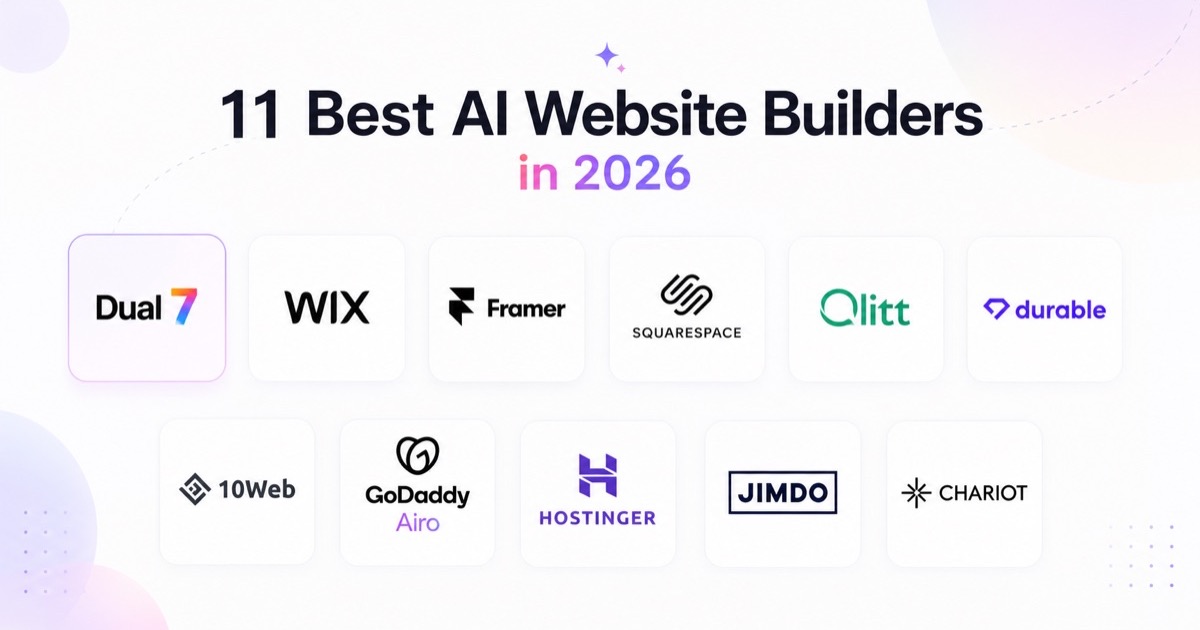
We tested and evaluated the top AI website builders on the market to find the ones that actually walk the talk. Here are the 11 best AI website builders in 2026, and what each one is best for:
- Dual7: best for building a full custom website or app you actually own
- Wix: best all-round AI website builder for most people
- Framer: best for designers who want real creative control
- Squarespace: best for polished, professional templates
- Olitt: best budget AI website builder for local businesses
- Durable: best for launching a site in under a minute
- 10Web: best AI website builder for a real WordPress site
- GoDaddy Airo: best if you're already buying your domain there
- Hostinger: best low-cost AI website builder with hosting included
- Jimdo: best simple AI website builder for small business
- Chariot: best for vibe-coding a website through chat
How we tested and evaluated these tools?
You deserve more than a list of opinions, so we built a simple, repeatable test. We gave every platform that supports open prompts with the same brief:
"I'm a freelance landscape photographer based in Portugal. I need a clean, visual portfolio site with galleries organized by location, an about page, and a simple contact form. Minimalist design, mobile-friendly, no clutter."
For tools that use a guided Q&A flow instead of an open prompt, we answered with the same underlying business details, so every platform faced the same brief.
We then scored each tool on the following:
- Output quality: did the AI produce something usable and specific to the prompt, or generic filler text and stock layouts?
- Ease of editing: once the AI draft was done, could you actually fix what it got wrong without a steep learning curve?
- Design and customization depth: real layout control, or one fixed template with different colors?
- Pricing transparency: clear costs upfront, with no hidden renewal jumps?
- Extra capability: hosting quality, SEO tools, ecommerce support, and integrations.
A few tools we looked at got cut before making this list. If a platform only swapped in your business name and a stock photo without changing the actual structure or copy in any meaningful way, we didn't include it. An AI website builder needs to build something specific to you, not just decorate a template.
The Best AI Website Builders in 2026
1. Dual7
Dual7 takes a different approach than every other tool on this list, and that's exactly why it earns the top spot. Instead of generating a templated marketing site, Dual7 builds real, production-grade applications using React, Node.js, and PostgreSQL, the same stack a professional development team would use. You describe what you want in plain English, and a fleet of AI agents designs, builds, and validates it for you.
What makes Dual7 stand out is its two-mode system. In Vibe mode, you build fast, describing changes and watching them appear live, similar to the speed of other vibe-coding tools. When you're ready to take something to production, Governed mode runs your project through seven structured stages (requirements, plan, UX, schema, stories, build, and publish), with a dedicated Security agent auditing every change before it ships. You can move between the two modes on the same project without a rebuild.
The biggest advantage here is ownership. Code export is available from Starter up, while the Free plan runs as a live preview inside the platform. There's no proprietary runtime locking you in. If you ever want to self-host or move to your own cloud, you genuinely can.
We tested Dual7 by describing a customer portal with a deals pipeline and a contacts table. In a few minutes, it generated a working app with a real, functioning database behind it, something no template-based website builder on this list can match.
Best for: Founders, freelancers, and small teams who want more than a marketing website, and need a real web app or business tool built fast, without hiring a developer.
Pros:
- You own 100% of the generated code and can export it anytime
- Seven-stage governed pipeline with built-in security review and audit trails
- Multi-tenant Postgres with RBAC and row-level security included by default
- Works with frontier AI models including Claude, GPT, Gemini, Llama, and Mistral
Cons:
- It's built for apps and business tools, not simple brochure or portfolio sites
- The credit-based pricing can add up faster than a flat-rate website builder if you only need a basic site
Pricing: Free Starter plan with 40 credits a month. Pro is $79/month with 400 credits. Business is $229/month. The team plan is $499/month for up to 10 seats. Enterprise pricing is custom. You can export your code on every single plan.
The verdict: If your goal is a real, working application rather than a static site, Dual7 is the most capable tool on this list, and one of the only ones that lets you walk away with code you fully own.
2. Wix
Wix has been refining its AI website builder longer than most competitors, and that experience shows. You start by chatting with its AI assistant about your business, and it hands you a working draft backed by Wix's mature editor, which includes bookings, an online store, blogging, and one of the largest app marketplaces in the industry.
In our test, Wix's AI produced a usable site from our photography portfolio brief, and every part of it was easy to adjust afterward using the drag-and-drop editor. That combination of a fast AI draft plus a genuinely capable editor to fix what's wrong is what makes Wix such a safe choice for most people.
Best for: Anyone who wants a fast AI-generated starting point but also wants full manual control to refine it afterward.
Pros:
- Mature, capable editor that can handle almost any correction you need to make
- Huge app marketplace for extending your site's functionality
- Free plan available to test before you commit
Cons:
- The AI itself feels more practical than cutting-edge compared to newer tools
- You'll likely spend real time customizing the first draft, not just approving it
- The free custom domain only lasts the first year before renewal pricing kicks in
Pricing: Free plan with Wix branding and a Wix subdomain. Light is $17/month, Core is $29/month, Business is $39/month, and Business Elite is $159/month, all billed annually. You need at least Core to sell products.
The verdict: If you only try one traditional AI website builder, Wix is the safest bet. It rarely leaves you stuck.
3. Framer
Framer has shifted from being a pure AI website builder toward being a Figma-like design tool that happens to publish live sites. Its AI Wireframer takes a prompt and produces a rough, editable layout fast, which genuinely helps you get past a blank page.
The catch is that Framer's AI stops at the wireframe stage. It won't finish the site for you. When we ran our test prompt, we got a clean structural draft with placeholder content, not a polished, photo-filled site ready to publish. If you're comfortable finishing that last stretch yourself, or you're a designer who wants that level of control, Framer produces some of the best-looking output on this list.
Best for: Designers and anyone who wants real creative control over the final look of their site.
Pros:
- Genuinely beautiful, modern output with smooth animations
- Feels closer to a professional design tool than a simple site builder
- Fast, editable AI-generated wireframes to start from
Cons:
- Don't expect a finished site from a single prompt
- Extra costs for editor seats and language locales can add up quickly for teams
- A steeper learning curve than most builders on this list
Pricing: Free for non-commercial use. Basic is $10/month, Pro is $30/month, and Scale is $100/month, all billed annually. Editor seats cost extra beyond what's included, and each additional language adds to your bill.
The verdict: Best for people who enjoy design work and want AI to handle the first 20 minutes, not the whole project.
4. Squarespace
Squarespace's AI tools are lighter-touch than Wix's or Framer's, but its template quality remains some of the best in the industry. Its AI features help with copywriting, layout suggestions, and image selection, all working inside Squarespace's polished design framework.
Best for: Portfolios, blogs, and small service businesses that want a professionally designed look without heavy AI generation.
Pros:
- Some of the most modern, professional-looking templates available
- Strong built-in blogging and portfolio layouts
- Hosting, SSL, and solid SEO basics included on every plan
Cons:
- Less of a true "generate from a prompt" experience than newer competitors
- No permanent free plan, only a 14-day trial
- Transaction fees on lower tiers can add up for online stores
Pricing: Basic is $16/month, Core is $29/month, Plus is $39/month, and Advanced is $99/month, all billed annually.
The verdict: A dependable, good-looking choice if design quality matters more to you than deep AI generation.
5. Olitt
Olitt is smaller than the major names on this list, but it earned its spot on price and on how well its AI understands context. Tell it you run a dental clinic in Fort Worth or a boutique agency in Singapore, and the copy it generates actually reads like it was written for that specific business, not recycled filler.
It builds a full site with SEO structure and basic marketing tools in under a minute, and it bundles a Google Business Profile optimization tool alongside the site builder itself, something most competitors either charge extra for or don't offer at all.
Best for: Small and local businesses that want strong value without paying for features they won't use.
Pros:
- Genuinely inexpensive for what you get
- Context-aware AI copy that sounds specific to your business
- Local SEO tools bundled in at no extra cost
Cons:
- Smaller template library than the bigger, more established platforms
- Less design polish than Wix or Squarespace
- Newer platform, so the ecosystem is still growing
Pricing: Free plan available with an Olitt subdomain. The paid AI website builder plan starts at $36 per year, which works out to about $3 per month, including hosting and a custom domain option.
The verdict: The strongest value pick on this list for a small or local business on a tight budget.
6. Durable
Durable's entire pitch is speed. Answer a few questions about your business, and it generates a live site, logo, and starter copy in well under a minute. We timed it at around 45 seconds from start to a published draft during testing, close to its own marketing claim.
What sets Durable apart from a pure speed play is that it bundles a CRM, invoicing, and basic marketing tools into the same subscription, so a solo service business can manage its whole client relationship from one dashboard.
Best for: Solopreneurs and local service businesses who need to be online today and want business tools bundled in.
Pros:
- The fastest genuine site generation of any tool we tested
- Built-in CRM and invoicing beyond just the website itself
- Simple enough for someone with zero technical background
Cons:
- Design customization is limited compared to other builders
- Not built for real ecommerce
- Pricier than some competitors for what is a fairly simple site
Pricing: Free to generate and preview. Paid plans start around $12/month (Launch, billed annually) and go up to $99/month (Grow) for more AI usage and automation.
The verdict: Hard to beat if speed and built-in business tools matter more to you than design flexibility.
7. 10Web
10Web generates a full WordPress site using Elementor, then hosts it on Google Cloud with strong speed optimization built in. That's the real appeal here: you get the flexibility and plugin ecosystem of WordPress without touching a server yourself.
In our testing, its AI produced a structured, editable multi-page site in about three minutes, and PageSpeed scores after its optimization step consistently landed in the 90s, a genuinely strong result compared to most AI builders.
Best for: Anyone who wants AI to build the site, but WordPress to run it long-term.
Pros:
- Real WordPress underneath, so you're not locked into a closed platform
- Strong, measurable page speed performance
- Useful AI content assistant for ongoing writing after launch
Cons:
- No permanent free plan, only a short trial
- You inherit WordPress's usual plugin and maintenance considerations
- Costs can grow if you add many premium plugins
Pricing: No free tier. The AI Starter plan runs around $10/month billed annually, with Premium and Agency tiers priced higher based on visitor limits and site count.
The verdict: The right choice if you want AI to handle the build but want the long-term flexibility of WordPress.
8. GoDaddy Airo
GoDaddy Airo builds a logo, a starter site, and business essentials like a suggested professional email address, all from a short description of your business. It's bundled with GoDaddy's existing domain and hosting business, so if you're already registering a domain there, Airo is the path of least resistance to getting something live.
Worth knowing upfront: Airo leans more on smart templates and AI-written filler copy than a true from-scratch generation engine. It's a solid starting point, not a finished product.
Best for: People who are already buying a domain through GoDaddy and want a fast, bundled way to get a site live.
Pros:
- Genuinely convenient if you're already in the GoDaddy ecosystem
- Includes a logo generator and AI copy suggestions in the same flow
- Free-forever plan available with limited features
Cons:
- Introductory pricing is a first-year rate, and renewal costs jump afterward
- AI design quality trails behind Wix and Squarespace
- Fewer design customization options than dedicated builders
Pricing: Free-forever plan available. Paid Website + Marketing plans run roughly $9.99 to $23.99/month depending on tier, billed annually.
The verdict: A reasonable, convenient option if you're already buying your domain from GoDaddy. Not the top pick if AI design quality is your priority.
9. Hostinger
Hostinger's AI website builder is the cheapest tool on this list by a wide margin, and it still manages to include a real drag-and-drop editor, a decent template library, and a genuinely useful AI toolkit that covers writing, a logo maker, and an SEO assistant.
The trade-off is that Hostinger's headline pricing depends on committing to a long-term plan. Shorter terms and renewals cost noticeably more.
Best for: Budget-conscious users who want a capable website builder and hosting bundled into one low-cost plan.
Pros:
- Exceptional value for a combined site builder and hosting package
- Fast servers and a genuinely useful AI toolkit for the price
- 30-day money-back guarantee
Cons:
- The lowest advertised price requires a 48-month commitment
- No app marketplace to extend functionality
- Storage and product caps will limit larger, growing stores
Pricing: Premium plan starts around $2.99/month on a 48-month term, renewing around $10.99/month. Business plan starts around $3.99/month on the same term, renewing around $16.99/month.
The verdict: Hard to beat on price if you're comfortable with a longer commitment and don't need advanced ecommerce features.
10. Jimdo
Jimdo was one of the earliest AI website builders on the market, and its current version, Jimdo Dolphin, still holds up as a straightforward option for small businesses that don't want to fuss over design decisions. Describe your business, and Jimdo suggests a style, color palette, and page structure, then builds a couple of starting drafts for you to choose between.
Best for: Small businesses that want a working site online fast without a lot of decision-making along the way.
Pros:
- Simple, low-friction setup process
- Reasonably priced across all of its tiers
- Free plan available for basic personal sites
Cons:
- The AI's role mostly ends once the initial site is created
- Ongoing edits happen through a fairly standard editor, not AI-assisted
- Smaller feature set than the bigger platforms on this list
Pricing: Free Play plan available with up to 5 pages and Jimdo branding. Start is about $11/month, Grow is about $17/month, and Unlimited is about $45/month, all billed annually. Online store plans are priced separately.
The verdict: A dependable, no-drama choice for a small business or personal site that doesn't need heavy customization.
11. Chariot
Chariot is the purest chat-driven website builder we tested. Tell it what you want, wait a few minutes, and it produces a fully functioning site that genuinely matches the brief. It's one of the most impressive single outputs on this list in terms of raw AI capability.
The catch shows up the moment you want to edit anything. There's no visual editor. Every change, no matter how small, goes through the chatbot, which is a fun novelty at first but a genuinely frustrating way to maintain a real website over time.
Best for: Trying out chat-only website generation, or a quick, disposable landing page you won't need to update often.
Pros:
- Genuinely excellent AI generation from almost any prompt
- Fast turnaround from idea to a working site
- Interesting glimpse at where AI website building may be headed
Cons:
- No visual editor at all, every change requires a chat request
- Impractical for anyone who needs to update a site regularly
- No free plan
Pricing: From $17/month for 1,000 credits and hosting. From $47/month for 2,500 credits, unlimited websites, and premium support.
The verdict: Fun to try, but not something we'd recommend for a website you plan to maintain long-term.
Side-by-Side Comparison of the Best AI Website Builders
| Tool | Best For | Setup Time | AI Output Quality | Starting Price | Free Plan |
|---|---|---|---|---|---|
| Dual7 | Building a full custom app | Minutes to prototype | Excellent for apps | Free, then $79/mo | Yes, limited credits |
| Wix | Designers | 15 to 30 min | Good | $17/mo | Yes |
| Framer | Designers | 15 to 30 min | Very good | $10/mo | Yes, non-commercial |
| Squarespace | Polished templates | 15 to 20 min | Very good | $16/mo | No, 14-day trial |
| Olitt | Local business budget pick | 3 to 5 min | Good | $3/mo | Yes |
| Durable | Fastest launch | Under 1 min | Good | $12/mo | Yes, limited |
| 10Web | WordPress users | 10 to 20 min | Very good | $10/mo | No, 7-day trial |
| GoDaddy Airo | Domain-first buyers | 5 to 15 min | Good | ~$10/mo | Yes, limited |
| Hostinger | Lowest price with hosting | 10 to 20 min | Good | $2.99/mo | No, 30-day refund |
| Jimdo | Small business simplicity | 5 to 10 min | Good | $11/mo | Yes, 5 pages |
| Chariot | Vibe-coding via chat | A few minutes | Impressive, hard to edit | $17/mo | No |
Which AI website builder should you actually pick?
- If your real goal is a working app, not just a website, choose Dual7.
- If you want the safest, most well-rounded choice, choose Wix.
- If you're a designer who wants control over every detail, choose Framer.
- If you want the best-looking templates with light AI help, choose Squarespace.
- If you're a small or local business on a tight budget, choose Olitt.
- If you need a site live in the next five minutes, choose Durable.
- If you're committed to WordPress long-term, choose 10Web.
- If you're already buying your domain from GoDaddy, choose GoDaddy Airo.
- If price is your single biggest constraint, choose Hostinger.
- If you want something simple and don't want to overthink it, choose Jimdo.
- If you want to try chat-only building just for fun, choose Chariot.
Frequently asked questions
Are AI website builders actually free?
Most offer a free tier, but it usually comes with the platform's branding, a subdomain instead of your own domain, and no ecommerce. If you want a real, brandable website, you'll almost always need a paid plan.
Can I use my own domain with an AI website builder?
Yes, on every tool covered here, though free plans typically restrict this feature to paid tiers.
Do AI website builders hurt SEO?
Not inherently. Most of these tools produce clean, crawlable code and handle basic on-page SEO like meta tags and headings automatically. The AI-written copy itself often needs a human editing pass to actually rank well for competitive terms.
What's the difference between an AI website builder and a vibe-coding tool?
A website builder like Wix or Squarespace gives you a visual editor alongside the AI, so you can fix things yourself after the initial draft. A vibe-coding tool like Chariot works almost entirely through conversation, which is faster to start but harder to maintain, since every change means going back to the chatbot instead of clicking and editing directly.
Can I export my site if I switch platforms later?
It depends on the tool. Dual7 and 10Web (which runs on WordPress) let you export real, portable code you can take anywhere. Closed platforms like Wix, Squarespace, and Durable generally let you export your content, but not the underlying design.
How long does it really take to build a site with AI?
Anywhere from under a minute (Durable, Chariot) to 20 to 30 minutes (Framer, 10Web) for a usable first draft. Budget extra time on top of that for any tool, usually a few hours, to get a site genuinely ready to publish.
Can AI website builders replace a web designer?
For a simple site, often yes. For a brand that depends on a highly distinctive, custom look, an AI builder gives you a strong starting point, but it's not a full replacement for hands-on design work.
Want something like this built for your business?
Book a DemoArticle Authors

More posts from this author
Related posts
Keep reading
GuideBest website to app converter tools in 2026